
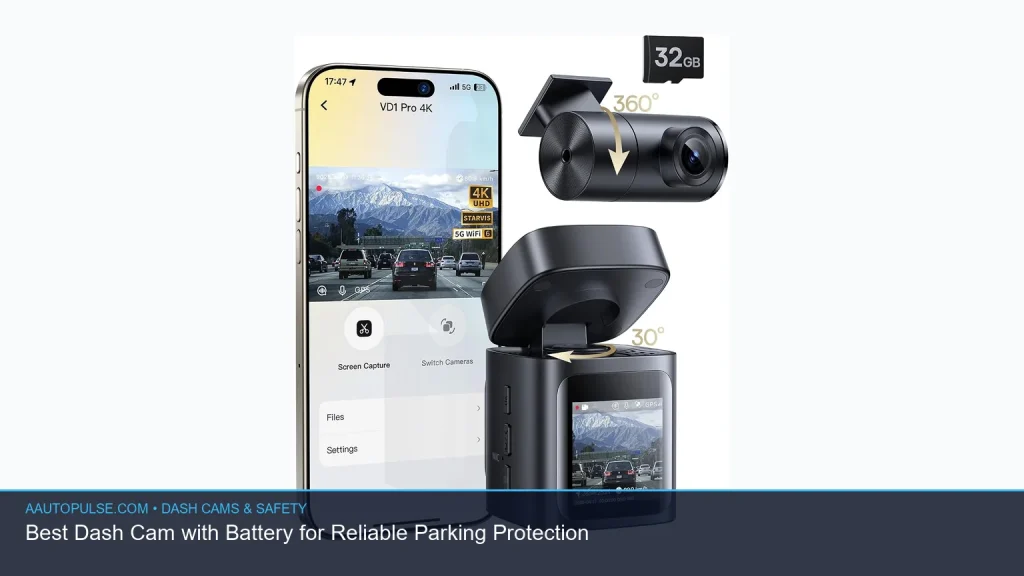
If you want parking protection, a dash cam with battery is one of the most practical upgrades you can make. It can help record incidents while your car is parked, without relying only on the vehicle’s accessory power. The best choice depends on how you park, how long you want recording to continue, and whether you want a simple battery operated dash cam or a hardwired setup with backup power. Below, you’ll learn how these systems work, what features matter most, and how to choose the right one for reliable coverage.
📖 Table of Contents
- What a Dash Cam with Battery Actually Does
- How to Choose the Best Dash Cam with Battery for Parking Protection
- Battery Power Dash Cam Options: Strengths and Trade-Offs
- Features That Matter Most for Reliable Parking Recording
- How to Set Up Parking Protection the Right Way
- Troubleshooting Common Problems
- FAQ
📌 Key Takeaways
- A dash cam with battery is useful when you want recording to continue after the engine is off, especially for parking protection.
- The best setup depends on your parking habits: short stops, overnight parking, or long-term monitoring each call for different power options.
- Look for low-voltage protection, impact or motion detection, and clear night video before you choose a dash cam that records when car is off.
- “No wires” is often shorthand for cleaner installs, but many reliable parking setups still use hidden power cables or battery packs.
What a Dash Cam with Battery Actually Does
A dash cam with battery keeps working when your vehicle is parked, so it can capture hit-and-runs, door dings, vandalism, or suspicious activity. That is the main reason many drivers search for a dash cam that records when car is off. The battery may be built into the camera, placed in a separate battery pack, or supplied through your vehicle’s electrical system with a backup power source.
These options are not all the same. A small internal battery may only support brief recording after shutdown, while a dedicated external battery pack can power parking mode much longer. If you want real parking protection, focus on how the camera handles power in the off state, not just whether it has a battery inside.
Common battery-based power setups
- Internal battery: Simple, compact, and often used for short shutdown recording.
- Battery pack: A separate power unit designed to extend parking mode without draining the car battery as quickly.
- Hardwired parking mode: Uses vehicle power, usually with low-voltage protection, and may work alongside a battery backup.
- Plug-in portable setup: Easier to install, but often limited for long parking coverage unless paired with another power source.
If you are comparing a battery power dash cam with a standard plug-in unit, the biggest difference is endurance. The camera itself may be similar, but the power method changes how long it can protect your car while parked.
How to Choose the Best Dash Cam with Battery for Parking Protection
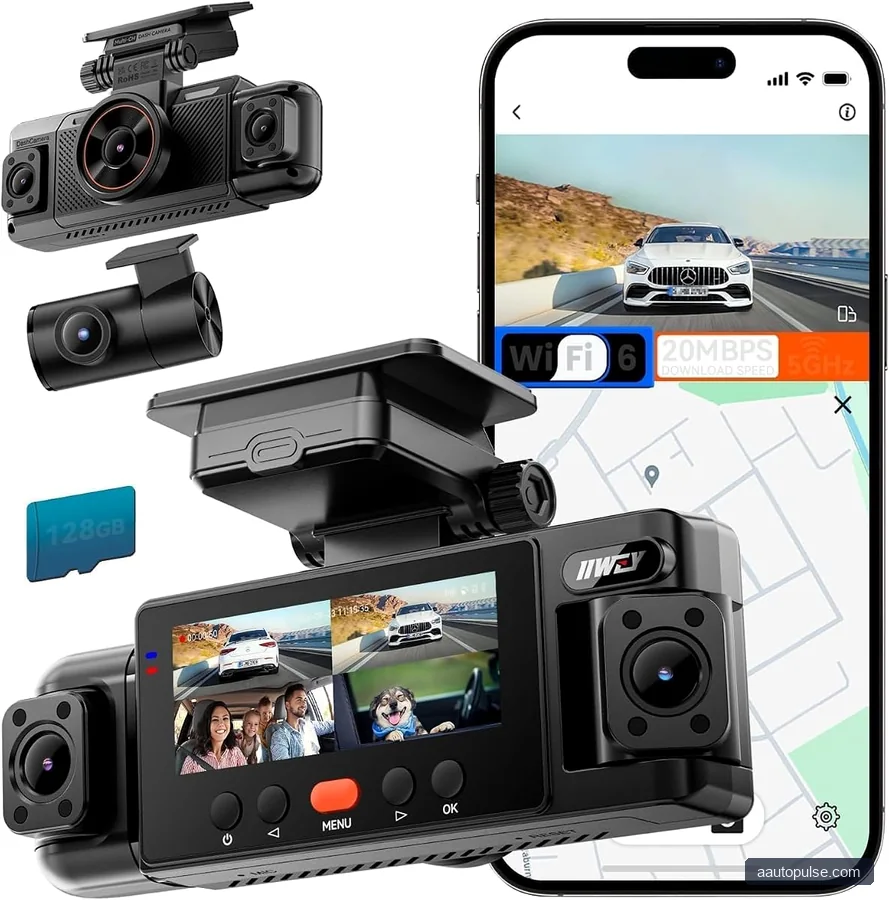
The right choice depends on how often your vehicle sits unattended and how much installation work you want to do. A city driver who parks on the street has different needs than someone who uses a garage most nights. Start with your parking risk, then match the power setup to it.
| Need | Best Power Approach | Why It Fits |
|---|---|---|
| Short errands and quick stops | Internal battery or basic parking mode | Enough for brief shutdown recording |
| Overnight street parking | Battery pack or hardwired setup with protection | Better chance of longer parking coverage |
| Low-maintenance install | Plug-in or no wires dash cam style installation | Cleaner and easier to set up |
| Best long-term parking protection | External battery pack plus parking mode | Reduces strain on the car battery |
When comparing models, pay attention to how parking mode starts. Some cameras wake only after impact. Others use motion detection. For the best protection, a camera should be able to record both movement near the vehicle and physical contact, since many parking incidents begin before a bump occurs.
Selection criteria that matter most
- Parking mode type: Motion detection, impact detection, time-lapse, or buffered recording.
- Power protection: Low-voltage cutoff helps reduce the risk of draining the car battery.
- Video quality at night: Important for dim garages, street parking, and license plate capture.
- Storage handling: Loop recording and file locking help preserve important events.
- Ease of install: A battery operated dash cam may be easier to place, but a hardwired system may offer stronger parking performance.
Battery Power Dash Cam Options: Strengths and Trade-Offs
There is no single best setup for every driver. A simple internal-battery camera may be ideal for casual users, while a more advanced power system suits high-risk parking. The key is to balance convenience, runtime, and installation effort.
| Option | Strengths | Limitations | Best For |
|---|---|---|---|
| Internal battery | Simple, compact, easy to use | Usually limited runtime for parking | Light-duty users |
| External battery pack | Longer parking coverage, less car battery strain | More hardware and installation work | Frequent street parking |
| Hardwired parking mode | Reliable and clean install | More complex to set up | Drivers wanting constant readiness |
| No wires dash cam style | Cleaner look, less visible cabling | May still need hidden power routing | Drivers who want a tidy cabin |
Who should choose what? If you want the simplest setup, choose a camera with a built-in battery and basic parking mode. If you want stronger parking protection, choose a model that can use an external battery pack or hardwired low-voltage support. If you care most about clean looks, a no wires dash cam approach may be appealing, but check whether it still gives the parking runtime you need.
Features That Matter Most for Reliable Parking Recording
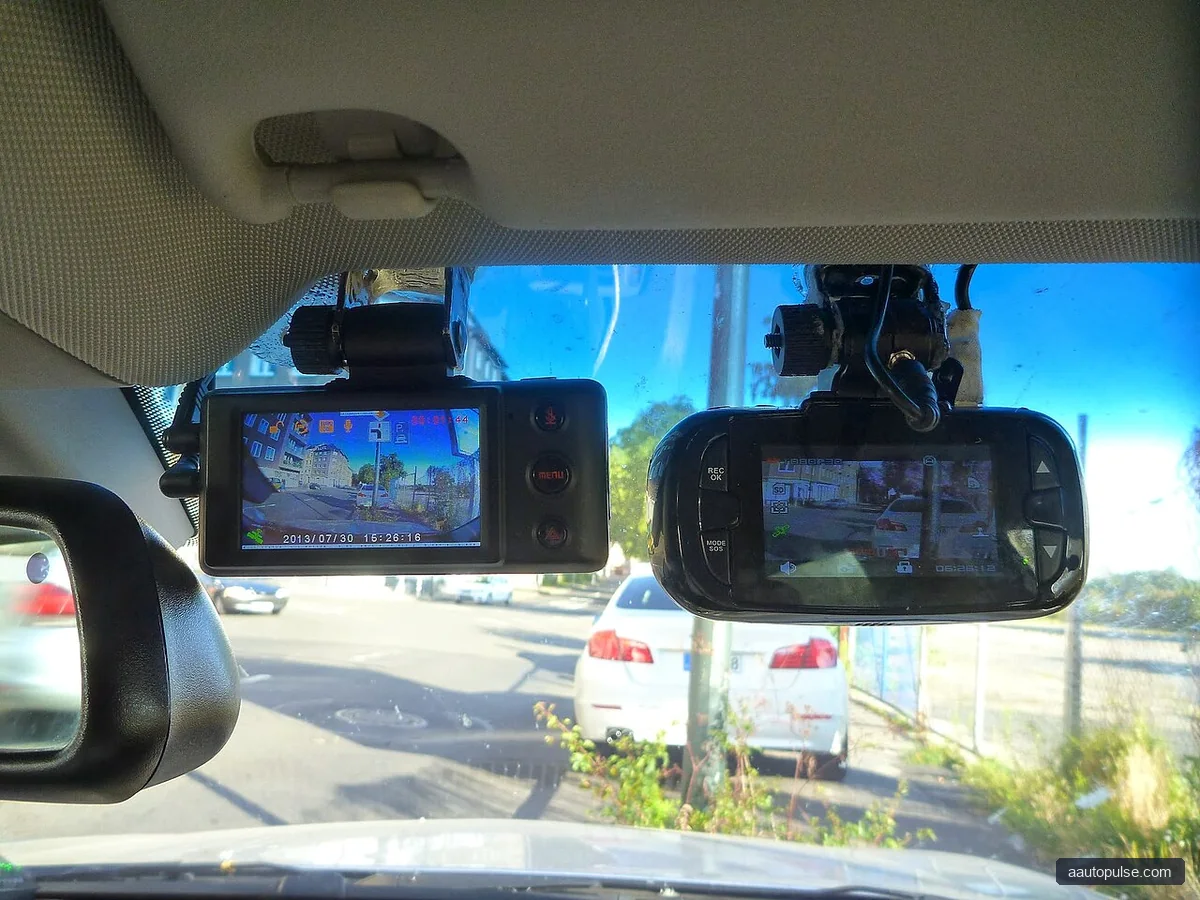
Not every feature helps equally. Some are nice to have, while others are essential for a dash cam that records when car is off. Focus on the features that support parking coverage, image clarity, and battery safety.
1. Parking mode with motion and impact detection
Parking mode should do more than stay awake. It should watch for movement around the vehicle and react when something hits the car. Buffered recording is useful because it may capture a few seconds before and after the trigger event.
2. Low-voltage cutoff
If the camera draws power from the vehicle battery, low-voltage protection is important. It helps prevent a dead battery after long parking periods. This is one of the most important features to check before choosing any battery-based parking setup.
3. Night video quality
Parking incidents often happen in low light. A camera with strong low-light performance and a wide enough view may be more useful than one that looks good only in daylight. If you park on streets or in dim garages, this should be high on your list.
4. Good storage management
Loop recording keeps the camera working without constant manual cleanup. File locking helps preserve important clips after impact detection. These are small features, but they matter a lot when you need evidence later.
How to Set Up Parking Protection the Right Way
A good camera can still disappoint if it is set up poorly. Placement, power source, and settings all affect how well it records after the car is off. Follow these steps for a better chance of getting usable footage.
- Choose the parking risk first. Decide whether your biggest concern is theft, vandalism, or simple hit-and-run damage.
- Select the right power method. Pick internal battery, battery pack, or hardwired parking mode based on how long you need recording.
- Check the install path. Make sure cables are routed safely and do not block airbags, controls, or driver visibility.
- Set voltage protection if needed. If the camera draws from the car battery, use low-voltage cutoff to reduce the chance of drain.
- Test parking mode before relying on it. Confirm that the camera actually wakes, records, and saves clips after shutdown.
- Review clips after the first few days. Make sure angles, date stamps, and storage settings are correct.
For a truly useful battery operated dash cam, the goal is not just power. It is reliable recording at the exact time something happens. Test the system in your own vehicle, because power behavior can vary by car and by install method.
Troubleshooting Common Problems
Even a good camera can run into issues. If your parking protection is not working as expected, start with the basics. Many problems come from settings, installation, or power limits rather than the camera itself.
| Problem | Likely Cause | What to Check |
|---|---|---|
| Camera turns off too soon | Battery is too small or voltage cutoff is too strict | Power settings and available battery runtime |
| No recording after parking | Parking mode disabled or trigger sensitivity too low | Event settings and motion detection options |
| Battery drains vehicle too fast | Parking mode running too long on car power | Low-voltage cutoff and runtime limits |
| Footage missing or overwritten | Storage full or loop recording misconfigured | Memory card health and file-locking settings |
If your camera is not staying on, check whether the battery is meant for short bursts rather than overnight recording. Many buyers expect internal batteries to do more than they were designed to do. If you need long parking coverage, a separate battery pack or hardwired solution is usually the more realistic path.
FAQ
Can a dash cam record when the car is off?
Yes, many models can record after shutdown if they support parking mode and have power from an internal battery, external battery pack, or hardwired source. A dash cam that records when car is off usually depends more on the power setup than the camera body alone.
Is a battery operated dash cam better than a wired one?
Not always. A battery operated dash cam can be simpler to install, but wired or battery-pack setups often provide longer and more reliable parking protection. The better choice depends on how long you want recording to continue and how much install work you want to do.
What does “no wires dash cam” usually mean?
People use no wires dash cam to describe a cleaner install with little or no visible cabling. In practice, many of these systems still use hidden power routing or a battery pack. The main benefit is a tidier look, not always true cable-free power.
How long will a dash cam battery last in parking mode?
That depends on the battery size, camera settings, and whether the camera records continuously or only on impact. Since runtime varies widely by model and vehicle, check the manufacturer details and verify how the system behaves in your own car before relying on it.
What should I verify before buying one?
Check parking mode type, low-voltage protection, storage support, night performance, and how the camera is powered. If you are choosing between options, look for the one that matches your parking habits instead of the one with the easiest headline claim.
A strong dash cam with battery can give you meaningful parking protection, but only if the power setup fits your routine. Start with how long you need it to record when the car is off, then compare battery options, parking mode features, and install simplicity. If you want the cleanest path, a tidy no wires dash cam setup may work well; if you need longer coverage, a battery pack or hardwired option is often the better choice. Before you buy, verify current product details and make sure the system matches your vehicle and parking habits.


